
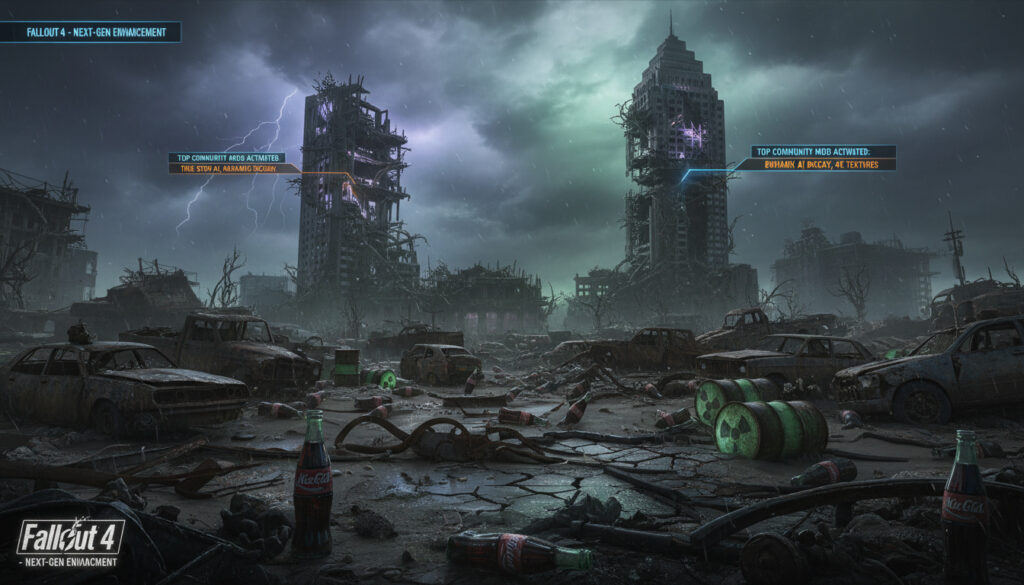
The Commonwealth changed forever on April 25, 2024. When Bethesda deployed the next-generation update for Fallout 4, thousands of player-crafted modifications faced immediate compatibility challenges. This stability-focused patch introduced new Creation Club content but left PC visuals largely unchanged, creating a divide between legacy mod versions and updated game installations that persists today.
Navigating this landscape requires understanding which modifications survived the transition, where to source reliable files, and how installation methods differ between PC and console platforms. The modding ecosystem spans over 50,000 community creations across nearly a decade of development, with specific tools now mandatory for advanced functionality.
Current players must verify compatibility flags before downloading, as mods updated after April 25, 2024, typically target the new architecture while older versions may crash updated installations. Essential modifications available in 2024, proper setup procedures, and platform-specific constraints affecting load order stability warrant detailed examination.
What Are the Best Fallout 4 Mods?
- Foundation First: The Unofficial Fallout 4 Patch remains the essential starting point, addressing hundreds of quest, gameplay, and object placement bugs never resolved by official updates.
- Popularity Leader: Armorsmith Extended dominates Nexus Mods with over 10 million downloads, enabling comprehensive weapon and armor crafting including full Power Armor customization.
- Next-Gen Visuals: Psycho LUT Pure, Fallout 4 Particle Patch, and WET Water Enhancement Textures operate without F4SE on updated installations.
- System Requirements: KARMA and similar gameplay overhauls require the Mod Configuration Menu, RobCo Patcher, and PipboyTabs dependencies.
- Console Constraints: PlayStation and Xbox players access a curated subset through Bethesda.net, with some PC-exclusive visual mods causing instability on console hardware.
- LOD Enhancements: FAR (Faraway Area Reform), NeuraLOD, and Luxor’s Fallout 4 HD Overhaul provide comprehensive distant detail improvements.
- Balance Adjustments: Molotov Cocktail Nerf addresses specific weapon balance issues without requiring script extenders.
| Category | Top Selection | Key Metric |
|---|---|---|
| Bug Fixes | Unofficial Fallout 4 Patch | Hundreds of fixes, universal compatibility |
| Most Downloaded | Armorsmith Extended | 10+ million Nexus installs |
| Visual Enhancement | Vivid Fallout – All In One | PC and console compatible |
| Next-Gen Date | April 25, 2024 | Stability update, Creation Club content added |
| Follow-Up Patch | May 13, 2024 | Compatibility corrections deployed |
| Required Tool | F4SE (Script Extender) | Mandatory for advanced modifications |
How Do I Install Mods in Fallout 4?
Successful installation hinges on understanding the distinction between foundation tools and content modifications. While mod managers streamline organization, certain core components demand manual placement to function correctly within the game’s architecture.
Is There a Mod Manager for Fallout 4?
Vortex and Mod Organizer 2 provide graphical interfaces for load order management, yet experienced modders recommend manual installation for the Fallout 4 Script Extender. This tool, mandatory for many advanced modifications, requires direct placement into the Steam directory—typically located at C:\Program Files (x86)\Steam\steamapps\common\Fallout 4—rather than deployment through manager virtualization.
After placing F4SE files manually, launch the game through the f4se_loader.exe rather than the standard Steam executable. This ensures script extender functions initialize properly for dependent modifications.
Best Fallout 4 Mod Load Order?
Stability depends on sequential arrangement. Foundation modifications like the Unofficial Patch must load earliest, followed by gameplay systems such as Armorsmith Extended or KARMA, with visual enhancements and texture replacers positioned last. NATO Phonetic Alphabet – Complete Guide and Chart enthusiasts organizing large mod lists may appreciate systematic categorization methods similar to those used in aviation communication protocols.
Individual mod pages specify dependency requirements and conflicts. Some modifications require external files not hosted on primary repositories, necessitating careful attention to installation instructions provided by creators.
Where Can I Download Fallout 4 Mods Safely?
The modding community distributes content through two primary verified channels, each serving different platform requirements with distinct verification protocols.
Are Fallout 4 Mods Safe?
Nexus Mods and Bethesda.net maintain the only officially recognized distribution infrastructures with comprehensive file scanning. Third-party aggregation sites present elevated risks of modified executables or malware injection. Players should verify that downloaded archives match the file hashes listed on official mod pages before extraction.
Every modification referenced is available free of charge through official repositories. While Nexus Mods offers optional premium memberships for faster download speeds, the modifications themselves require no payment.
Are Fallout 4 Mods Free?
Community creators provide all essential tools and content modifications without charge. This includes the Unofficial Patch, Armorsmith Extended, visual enhancement suites, and Script Extender utilities. Gallery listings curate these free resources across categories ranging from settlement building to atmospheric lighting.
Console players access Bethesda.net directly from the game’s main menu, while PC users navigate to Nexus Mods through standard web browsers before importing files through their selected management tool.
How to Fix Common Fallout 4 Mod Issues?
Post-update compatibility represents the primary technical challenge facing current players. The April 2024 next-generation update fundamentally altered underlying systems, necessitating specific troubleshooting approaches for different platform configurations.
Fallout 4 Mods After Next-Gen Update?
Modifications updated after April 25, 2024, target the next-generation architecture, rendering them incompatible with legacy installations. Conversely, pre-update versions frequently crash when loaded into updated games. Documentation from the Fallout Wiki confirms that the follow-up patch released May 13, 2024, addressed specific stability concerns but did not resolve all third-party compatibility issues.
Users who downgraded their installation below the next-generation update must remove RobCo Patcher dependencies, as this specific tool prevents mod loading on older game versions while functioning correctly on updated installations.
Do Fallout 4 Mods Work on Console?
Xbox and PlayStation platforms support limited modification through Bethesda.net integration, though with significant constraints compared to PC capabilities. Platform-specific testing reveals that visual mods including Vivid Fallout and Green Commonwealth function across systems, while Enhanced Lights and FX exhibits documented instability on console hardware.
PlayStation 5 specifically faces additional memory limitations affecting mod quantity and complexity. Players should verify console-specific compatibility flags on individual mod pages before downloading, as PC-centric lighting overhauls and script-heavy gameplay modifications often exceed console processing constraints.
When Did Fallout 4 Modding Evolve?
- : Fallout 4 launches, immediate community modification begins through unofficial channels.
- : Nexus Mods reaches peak activity with comprehensive cataloging of early texture and gameplay adjustments.
- : Bethesda releases the next-generation stability update, introducing Creation Club content and breaking compatibility with numerous existing modifications.
- : Next-Gen Update 2 deploys, addressing specific crashes but maintaining the new architectural requirements.
- : Community developers release compatibility patches and next-generation-specific versions of foundational tools.
What Works and What Remains Uncertain?
- PC platforms support full modification including Script Extender functions
- Nexus Mods and Bethesda.net provide verified, virus-free distribution
- All modifications are legally free to download and use
- Visual enhancement mods function without F4SE on next-gen installations
- Xbox Series X/S supports broader mod categories than PlayStation 5
- Timeline for full PS5 mod restoration remains unspecified by Bethesda
- Long-term stability of next-gen Script Extender implementations unverified
- Specific update schedules for individual legacy modifications vary by creator availability
- Future Creation Club integration impact on mod loading sequences unclear
How Did the Modding Ecosystem Develop?
The modification landscape transformed from simple texture replacements in 2015 into sophisticated gameplay architecture by 2024. Early community efforts focused on visual fidelity and bug fixes, establishing the foundation that would eventually require the Unofficial Patch. As tools matured, creators developed complex systems like Armorsmith Extended that fundamentally altered crafting mechanics.
The April 2024 inflection point forced a bifurcation in development paths. Steam community guides document how PC players gained automatic updates through Valve’s distribution platform, while console ecosystems maintained separate verification pipelines. This divergence necessitates distinct troubleshooting approaches: PC users manage file versions and Script Extender compatibility, while console players navigate Bethesda.net’s curated limitations.
Is Rice Gluten Free – Guide for Celiacs & Sensitivities demonstrates how specialized dietary information parallels modding safety—both require careful source verification to avoid adverse reactions, whether biological or technical.
What Do Technical Experts Recommend?
“F4SE is mandatory for many advanced mods. Manual installation is strongly recommended over mod managers for core tools.”
— Steam Community Technical Guide, 2024
“Many mods updated after April 25, 2024 were designed for the next-gen version, making older mod versions incompatible with updated game installations.”
— Mod Compatibility Documentation
“Console players should read mod descriptions carefully, as some mods have known console issues.”
— Platform Testing Analysis
What Should Players Remember?
Begin every modification journey with the Unofficial Fallout 4 Patch to establish baseline stability. Verify next-generation compatibility flags before downloading any content updated after April 2024. PC users must install the Script Extender manually while console players should confine selections to Bethesda.net’s verified catalog. Community discussions provide ongoing troubleshooting for specific load order conflicts, but the fundamental principles remain consistent: foundation mods first, gameplay systems second, visual enhancements last, with all files sourced exclusively from official repositories.
Frequently Asked Questions
Are Fallout 4 mods free to download?
Yes. All modifications discussed are available without cost through Nexus Mods and Bethesda.net. Optional creator donations exist but never restrict access to essential files.
What is the best load order for Fallout 4 mods?
Load foundation mods like UFO4P first, followed by gameplay overhauls, then visual enhancements. Specific sequence requirements appear on individual mod pages.
Do Fallout 4 mods work on PlayStation 5?
Limited functionality exists through Bethesda.net. PS5 supports fewer mods than Xbox Series X and faces memory constraints preventing complex script-heavy modifications.
Is F4SE required for all Fallout 4 mods?
No. Only advanced modifications requiring script extensions need F4SE. Many visual enhancements and simple gameplay adjustments function without it.
Why do mods break after the next-gen update?
The April 2024 update altered underlying architecture. Mods must target specific game versions—pre-update mods crash on updated installations and vice versa.
Can you get viruses from Fallout 4 mods?
Only from unofficial third-party sites. Nexus Mods and Bethesda.net maintain verified, scanned repositories with no documented malware distribution.
How do you downgrade Fallout 4 for older mods?
Specialized guides detail version management through Steam depot commands. Remove RobCo Patcher first, as it prevents loading on downgraded installations.
Which mods are compatible with the next-gen update?
Visual mods like Vivid Fallout, WET, and Green Commonwealth work immediately. Check mod pages for “Next-Gen Compatible” flags or post-April 2024 update dates.

Jessica Fraser covers culture, lifestyle and society across Australia for Oz Briefly.